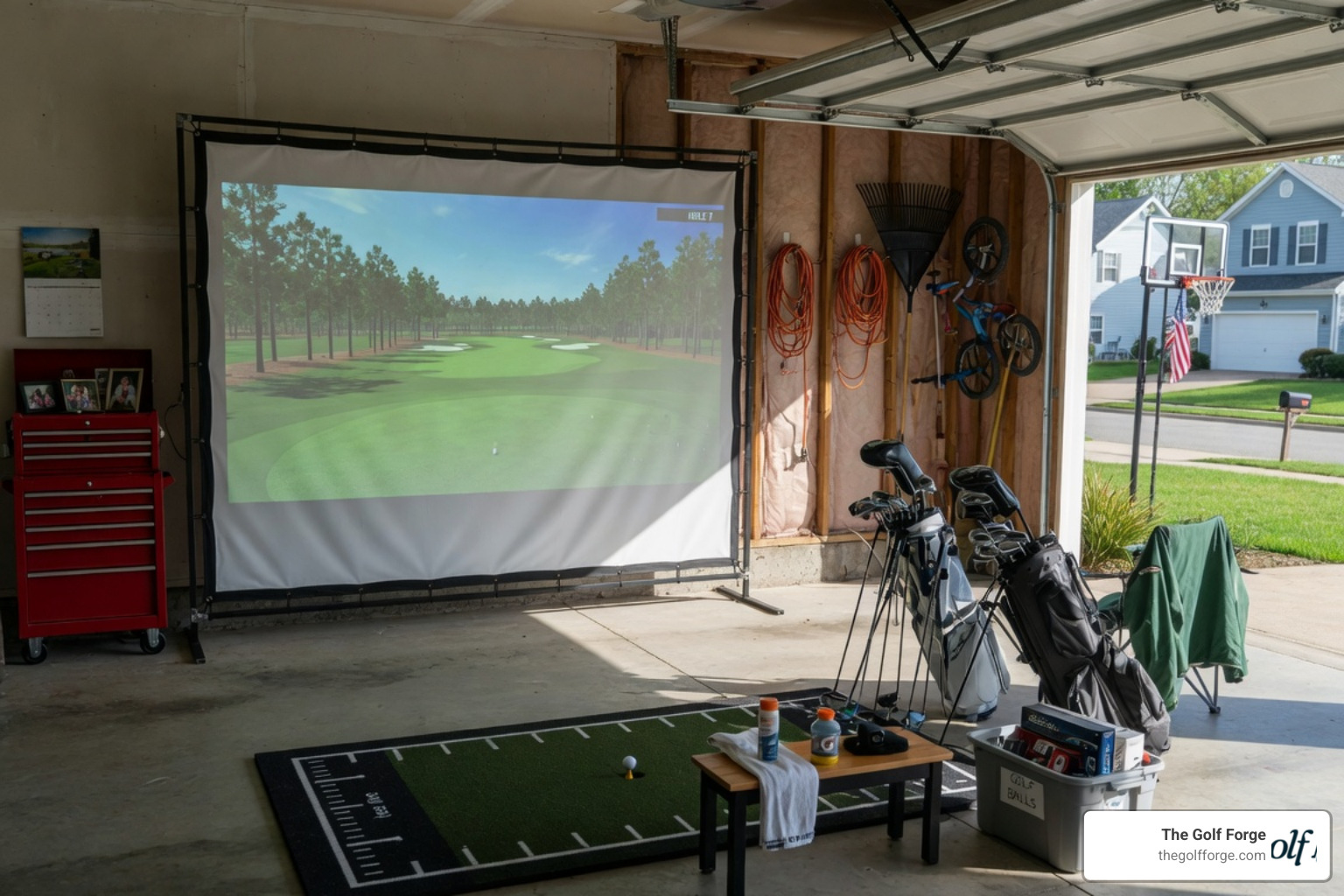
How to Turn Your Garage Into a Dream Golf Simulator Space
Why Your Golf Simulator Intention Matters Before You Build
Understanding your golf simulator intention is the single most important step before spending a dollar on equipment, space, or installation.
Quick answer: What does "golf simulator intention" mean?
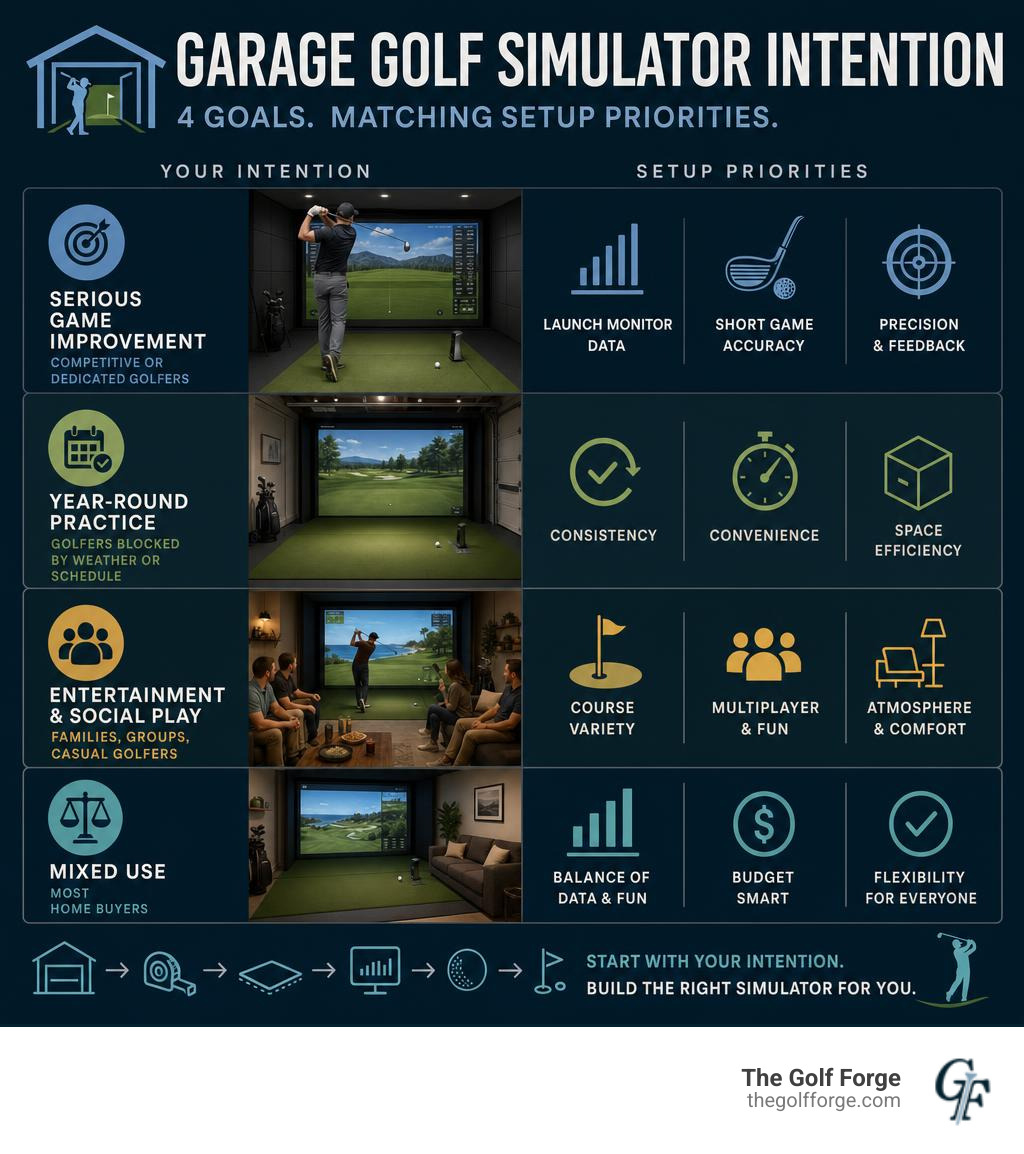
Intention Type Who It's For Key Priority Serious game improvement Competitive or dedicated golfers Launch monitor data, short game accuracy Year-round practice Golfers blocked by weather or schedule Consistency, convenience, space efficiency Entertainment and social play Families, groups, casual golfers Course variety, multiplayer, atmosphere Mixed use Most home buyers Balance of data, fun, and budget
More than 4 million traditional golfers are already using simulators — and the number keeps climbing. Why? Because getting to the course is hard. Weather cancels rounds. Tee times disappear. Schedules fill up with work and family.
A garage simulator solves all of that.
But here's the thing: not every setup is right for every golfer. A serious player chasing a two-handicap needs something very different from a dad who wants to hit balls on a Tuesday night.
That's why your intention has to come first — before you pick a launch monitor, measure your ceiling, or compare kit prices.
This guide walks you through everything you need to know to build a garage golf simulator that actually matches your goals.
Understanding Your Golf Simulator Intention: Why Build a Garage Setup?
When evaluating your golf simulator intention, the first question is simple: Why are you doing this? For most of us living in Utah, the answer is a mix of convenience, climate control, and sheer volume of swings.
Traditional outdoor golf is incredible, but it is highly dependent on factors we can't control. In Utah, winter brings snow, summer brings scorching afternoons, and spring is anyone's guess. When you shift your focus to indoor golf, those limitations vanish.
The rapid growth in simulator and screen golf participation has created a highly complementary relationship with traditional golf. Among the more than 4 million ‘green grass’ golfers engaging with simulators today, the technology clearly serves to enhance rather than replace traditional play. Using a simulator doesn't mean you are giving up the outdoor game; instead, it means you are arriving at the first tee in the spring with a swing that has been active all winter.
To help visualize how these two worlds interact, let's look at how traditional outdoor play stacks up against an indoor garage simulator setup:
Feature Traditional Outdoor Golf Indoor Garage Simulator Time Commitment 4 to 6 hours (including travel) 45 to 60 minutes for 18 holes Weather Dependability Subject to rain, snow, wind, and darkness 100% climate-controlled, 24/7 access Feedback & Data Visual ball flight only (guesswork on spin/path) Instant, precise club and ball metrics Social Environment Quiet etiquette, rigid pace of play Casual, music-friendly, play at your own pace Practice Efficiency High downtime between shots Rapid-fire, focused practice reps
By defining your primary golf simulator intention, you can build a space that maximizes your investment. If your intention is simply to keep your hands on a club during the snowy Utah winters, you can get away with a highly efficient, budget-friendly setup. If your intention is to completely revolutionize your swing mechanics, you will want to prioritize high-fidelity data tracking.
Clarifying Your Golf Simulator Intention: Serious Training vs. Entertainment
Once you decide to build, you must decide where your setup falls on the spectrum between a serious training lab and a high-energy entertainment hub.
If your golf simulator intention is serious game improvement, your focus should be entirely on data accuracy, realistic physics, and short-game precision. You need a launch monitor that captures detailed club-head data (such as club path, face angle, and vertical impact location) alongside ball flight metrics. For serious practice, you also want a software package like GSPro or FSX Play that replicates real ball physics on world-class courses.
On the other hand, if your intention is primarily entertainment and social play, your priorities will shift. You will want a larger hitting zone to accommodate both right- and left-handed players without constantly moving the launch monitor. You will want multiplayer software with fun target games, and perhaps a layout that accommodates comfortable seating, a mini-fridge, and space for friends to hang out.
For those times when you want the ultimate, distraction-free environment to dial in your game, we offer Premium indoor golf experiences at The Golf Forge. Operating 24/7 private bays with advanced Foresight launch-monitor technology, we provide the perfect local destination to complement your home practice. Whether you want to work independently, book sessions with a professional Swing Coach, or enjoy the flexibility of a Membership or Punch Passes, we have you covered right here in Utah.
Budgeting for Your Golf Simulator Intention: DIY vs. Turn-Key Kits
Your budget is the ultimate guardrail for your project, and it should align directly with your golf simulator intention. Generally, you have two main routes: the custom DIY build or a pre-packaged turn-key kit.
The Custom DIY Route (Budget-Conscious)
If you love a good weekend project and want to keep costs under control, a DIY setup is incredibly rewarding. You can piece together a highly functional system by shopping smart. For example, in real-world DIY builds like the 10K Dream Golf Simulator: Part 1 – CT Golf Reviews, golfers have successfully built highly accurate systems for under $10,000.
A typical DIY budget breakdown might look like this:
Launch Monitor: A high-quality portable unit like the Uneekor Eye Mini Lite (offering premium data at a lower price point).
Enclosure & Protection: A dual curtain track system with heavy blackout curtains to contain stray shots and block out ambient garage light.
Projector: A budget-friendly short-throw projector (like a ViewSonic PS502W) to handle tight spaces.
Impact Screen & Mat: A durable, direct-to-wall impact screen and a thick commercial hitting mat to protect your joints.
The Turn-Key Kit Route (Convenience and Premium Features)
If your intention is to have a seamless, professionally engineered setup without the trial-and-error of sourcing individual parts, a turn-key simulator kit is the way to go. These packages arrive with everything you need, designed to work together perfectly.
Foresight SIM IN A BOX® Play 10': Priced around $9,999, this full-size package features a GC3 Ball Enabled launch monitor, an easy-to-assemble frame, an impact screen, side nets, and FSX Play software preloaded with 25 premium courses. It is subscription-free and easily upgradable if you want to unlock clubhead data later.
SimBooth Kit 1 (4K): Ranging from $15,495 to $17,695, this premium kit features a structural aluminum enclosure, a full-surface raised floor (ensuring a perfectly flat stance and putting surface), a BenQ 4K laser projector, and the overhead IDRA II AI launch monitor. This system assembles in roughly two hours and completely eliminates floor-bound sensors.
If you are trying to decide which route best matches your goals, we can help guide your planning phase. Come in for a The Golf Forge custom simulator consultation to test our commercial-grade hardware and see what level of data and realism you want to bring home.
Space and Room Requirements for a Garage Golf Simulator
Before ordering any equipment, you must measure your garage with absolute precision. Swing physics do not care about optimism; if your ceiling is too low, you will end up with a damaged driver, a hole in your drywall, or a severely compromised swing.

When mapping out your garage space, use these key dimensional guidelines:
1. Ceiling Height (The Critical Dimension)
Absolute Minimum: 9 feet. This is only safe for shorter players or those hitting irons and hybrids.
Recommended Minimum: 9.5 feet. This allows most players to swing a driver comfortably.
Ideal Height: 10 feet or more. This provides complete peace of mind, allowing tall players with upright swings to release the driver fully without fear of hitting the ceiling.
2. Room Width
Minimum Width: 10 feet. (This is only suitable if the hitting area is centered and you are only accommodating single-handed play).
Recommended Width: 12 to 13 feet. This allows comfortable room for a side-mounted launch monitor and prevents a claustrophobic feeling during your backswing.
Ideal Width: 15 feet or more. This is the sweet spot if you want to accommodate both right- and left-handed players without having to constantly move your equipment.
3. Room Depth and Safety Clearances
Minimum Depth: 16 feet.
Ideal Depth: 18 to 22 feet.
The Safety Buffer Zone: You need to place your impact screen roughly 12 to 18 inches away from the hard garage wall to allow the screen to flex upon ball impact. Your hitting mat should be positioned 8 to 10 feet back from the screen to allow for proper ball flight tracking and safety from rebounds. Finally, you need at least 6 to 8 feet of clearance behind the golfer for a safe backswing.
Always double-check for overhead garage door openers, tracks, and hanging storage racks. Many golfers find they need to convert their garage door to a high-lift track or a wall-mounted jackshaft opener to clear the swing path. For more inspiration on how to layout your space safely, explore More info about simulator services.
Choosing the Right Technology: Launch Monitors, Software, and Screens
The technology you choose is the beating heart of your garage setup. Modern launch monitors use two primary methods to track your shots: photometric (cameras) and radar.
Launch Monitor Technologies
Photometric (Camera-Based): Systems like the Foresight GC3 or the overhead IDRA II use high-speed cameras to capture thousands of images of the ball and club at impact. These are incredibly accurate indoors because they only need to see the first few inches of ball flight. Overhead units like the IDRA II use stereoscopic vision to track over 18 ball and club data points, keeping the garage floor completely clear of hardware.
Radar-Based: Systems like Trackman use Doppler radar to track the entire flight of the ball. While radar is unmatched outdoors, it requires significant depth indoors to track ball spin accurately.
Software Ecosystems
Your software determines the visual realism, course selection, and practice modes available to you:
GSPro: The gold standard for community-driven simulation. It features ultra-realistic ball physics and gives you access to over 1,000 user-created courses (including many local favorites).
FSX Play: Foresight’s flagship software, offering stunning high-definition graphics and smooth gameplay, perfect for both serious practice and family course play.
Screens, Projectors, and Advanced Features
To complete the immersion, invest in a high-quality, crease-free, low-bounce impact screen. This ensures a crisp, flat image while safely absorbing high-velocity ball impacts. Pair this with a short-throw projector (which can be mounted overhead and close to the screen to prevent the golfer from casting a shadow on the image).
If your golf simulator intention is to build the ultimate, no-compromise dream space, you can even look into moving floor technology like the Zen Swing Stage. This adjustable platform integrates directly with software (like Trackman) to automatically tilt and replicate the exact slope of the fairway or green shown on screen. It brings real-world lies—like sidehill and downhill slopes—directly into your garage.
Ready to see how these high-tech components feel in action before building your own? Book a simulator session now at our facility and experience the difference premium technology makes.
Frequently Asked Questions about Garage Golf Simulators
What is the minimum ceiling height for a garage golf simulator?
The absolute minimum ceiling height is 9 feet, but we strongly recommend at least 9.5 to 10 feet. At 9 feet, taller players or anyone swinging a driver will likely feel restricted or risk striking the ceiling. Always perform a slow-motion test swing with your longest club in the space before committing to your setup.
How much does a high-quality garage golf simulator cost?
A high-quality setup typically ranges from $5,000 to $18,000. A budget-conscious DIY build utilizing smart sourcing can be completed for around $6,000 to $10,000. Premium, turn-key packages that include structured enclosures, 4K projectors, and overhead launch monitors generally cost between $15,000 and $18,000.
Can I use a garage golf simulator for both right and left-handed players?
Yes, but it requires careful planning. If you use a floor-mounted launch monitor, you will have to physically move the unit back and forth when switching between right- and left-handed players. To avoid this hassle, look for overhead launch monitors (like the IDRA II) or ceiling-mounted setups. These systems feature a wide, centralized hitting zone that easily accommodates players of both hand orientations without any equipment adjustments.
Conclusion
Turning your garage into a dream golf simulator space is one of the most exciting projects a golfer can undertake. By clearly defining your golf simulator intention from the very beginning, you can design a space that fits your budget, maximizes your garage's physical dimensions, and matches your personal goals—whether that means serious training or weekend entertainment with friends.
While planning and building your home setup, you don't have to wait to start practicing. If you live in Utah, you can access professional-grade indoor golf anytime to keep your swing in shape.
For the ultimate, data-driven practice environment with 24/7 private bay access right in your backyard, we invite you to experience what we've built for you. Explore professional indoor golf services at The Golf Forge today, and let us help you keep your game sharp all year round.
