
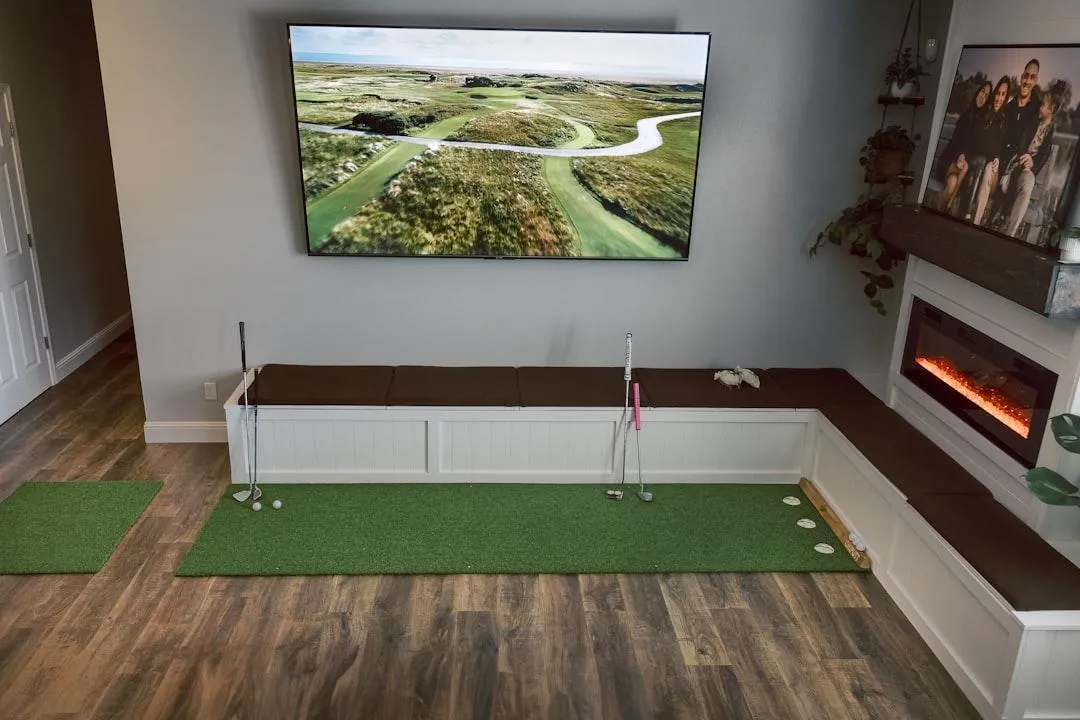
The Ultimate Guide to Understanding Your Golf Simulator Data and Real-World Results
What Your Golf Simulator Outcome Actually Tells You
Understanding your golf simulator outcome is simpler than most golfers think — once you know what the numbers actually mean.
Here's a quick breakdown of what simulator results represent and how reliable they are:
Result Type How It's Measured How Reliable? Ball speed Direct sensor capture at impact Very high Launch angle Measured at the point of impact High Carry distance Calculated from launch conditions High Spin rate Captured by camera or radar Medium to high Total distance Physics model + rollout algorithm Medium Simulator score Simulated course + modeled conditions Varies
The short version: Carry distance and ball speed are the numbers you can trust most. Total distance and scores are estimates — useful, but not perfect replicas of outdoor play.
If you've ever walked off a simulator feeling like your distances seemed "off," or wondered why you shot five strokes better indoors than at your local course, you're not alone. These are the most common questions golfers ask about simulator results.
Modern golf simulators are genuinely impressive tools. High-quality systems measure ball data within a few percentage points of professional outdoor launch monitors. But the data they give you has layers — some of it is directly measured, and some of it is modeled using physics algorithms.
Knowing the difference changes how you practice.
This guide breaks down exactly what your simulator numbers mean, why they sometimes differ from real-course results, and how to use that data to actually get better.
What is a Golf Simulator Outcome?
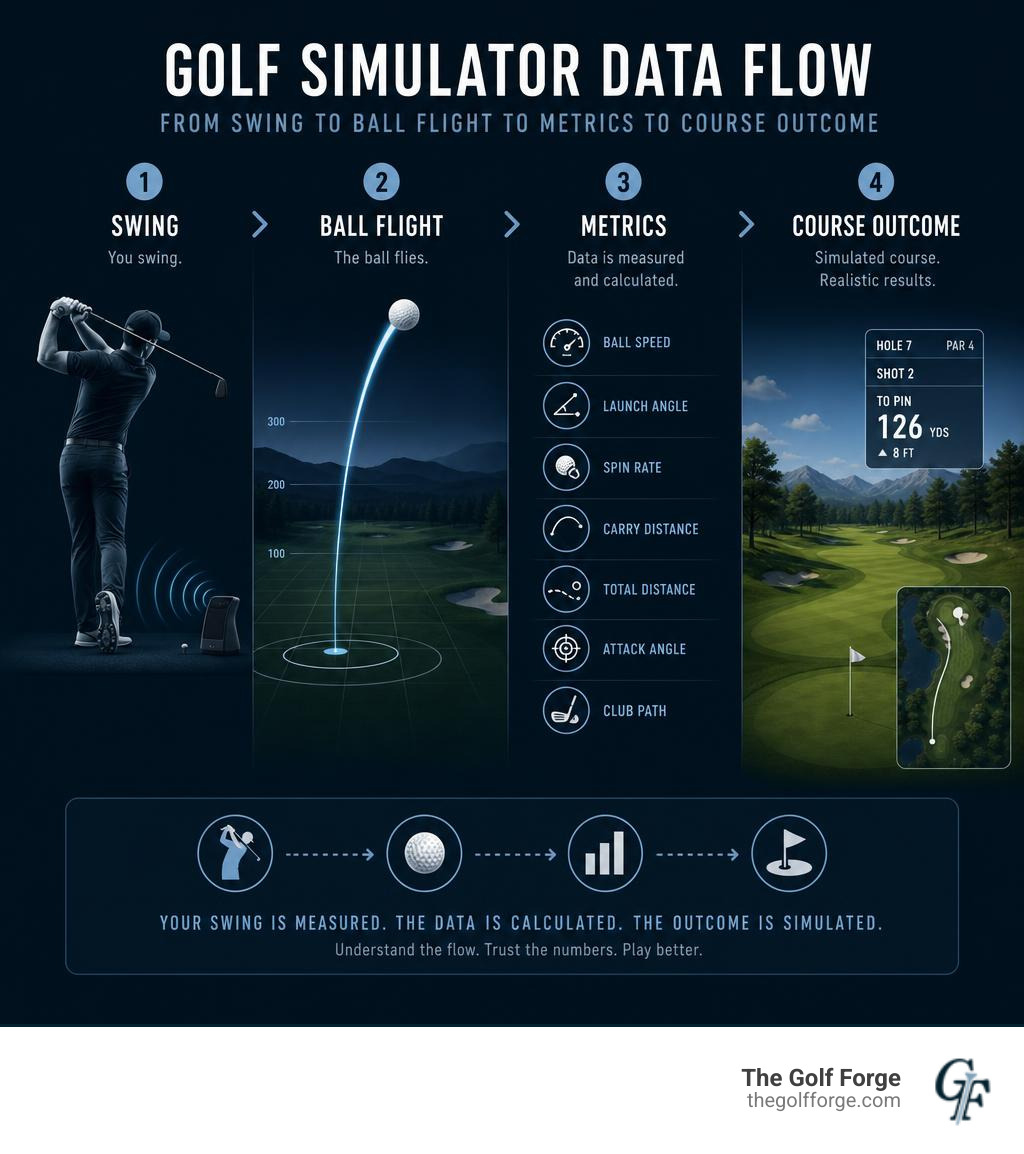
When we talk about a golf simulator outcome, we are looking at the final calculated result of your swing. This includes where your ball flies, how far it travels, where it lands, and how it rolls out on the virtual fairway.
To determine this outcome, a high-quality launch monitor must capture a series of critical initial metrics at the exact moment of impact. The primary metrics include:
Clubhead Speed: How fast the club is moving right before impact.
Ball Speed: The velocity of the ball immediately after leaving the clubface.
Launch Angle: The vertical angle at which the ball climbs relative to the ground.
Spin Rate: How fast the ball is rotating (measured in revolutions per minute, or RPM), which is split into backspin and sidespin.
Spin Axis: The tilt of the ball's rotation, which dictates whether your shot will draw, fade, slice, or hook.
Once these initial conditions are captured, the simulator's software takes over. Because a screen stops your ball just a few feet in front of you, the simulator must calculate the rest of the flight using advanced physics equations.
This process of predicting outcomes based on initial data is incredibly sophisticated. In fact, major golf organizations rely on similar mathematical modeling to predict tournament play. For instance, the PGA TOUR developed a patented Golf play outcome simulation modeling system that uses historical statistics and live event probability generators to calculate tournament outcomes.
In a similar way, your simulator uses real-time physics models to turn your launch data into a highly accurate virtual shot.
Measured Data vs. Modeled Outcomes: The Science of Simulator Accuracy
To get the most out of your practice, you must understand the difference between measured data and modeled outcomes.
Measured Data: This is the hard truth. It is the raw physical information captured directly by the launch monitor's sensors during the split second of impact. Metrics like ball speed, launch angle, and launch direction are measured with incredible precision.
Modeled Outcomes: This is where the simulator's software makes an educated prediction. Because the system cannot watch your ball fly for 250 yards, it uses algorithms to model air resistance, gravity, lift, and wind. The most prominent modeled outcome is total distance, which relies heavily on rollout algorithms to guess how far a ball will bounce and roll once it hits virtual turf.
How these metrics are captured depends entirely on the technology powering the simulator bay.
Feature Camera-Based (Photometric) Radar-Based (Doppler) How it Works Takes thousands of high-speed images of the ball at impact. Emits microwave signals to track the ball's movement. Best Environment Ideal for indoor spaces (requires very little room). Ideal for outdoor ranges where the ball can fly freely. Spin Accuracy Extremely high (directly measures the ball's cover markings). Can be lower indoors (often estimates spin due to short flight). Setup Sensitivity Requires proper lighting and precise alignment. Sensitive to metallic interference and short indoor distances.
At The Golf Forge, we utilize advanced camera-based launch monitors in our private bays. Because camera systems take high-speed photos of the ball immediately after impact, they do not need yards of open space to track ball flight. This makes them exceptionally accurate for indoor practice, especially when measuring spin rates and launch angles.
How Ball Type and Spin Capture Affect Your Golf Simulator Outcome
If you want your virtual practice to mirror your outdoor game, you cannot ignore the golf ball you are hitting. The ball is the primary source of data for the launch monitor.
Many golfers make the mistake of hitting cheap, hard practice balls into a simulator screen and then wonder why their distances are shorter or their shots are curving unpredictably. A cheap two-piece distance ball will spin significantly less than a premium urethane ball (like a Titleist Pro V1 or TaylorMade TP5).
Because camera systems read the physical spin of the ball's cover, using a premium urethane ball ensures that the monitor captures an accurate spin axis, backspin, and sidespin rate.
Furthermore, the physical setup plays a massive role:
Hitting Surface: A low-quality, hard hitting mat can cause "bounce" at impact, artificially altering your launch angle and clubhead speed. Professional-grade mats are designed to replicate real turf, allowing the club to glide through the ball naturally.
Calibration: If the launch monitor is not calibrated to the hitting surface and target line, your virtual shots may start offline or register incorrect launch angles.
Markings: Some launch monitors require specific metallic dots or patterned balls to track spin with 100% accuracy. Ensuring your ball is clean and properly positioned is crucial for an accurate golf simulator outcome.
Real-World vs. Virtual Play: Why Distances and Scores Differ
It is a common phenomenon: a golfer who struggles to break 90 on a local Utah course steps into a simulator and shoots a cool 75. Conversely, some players complain that their simulator carry distances feel 10 to 15 yards shorter than what they experience on the course.
Why does this happen?
The first culprit is a psychological phenomenon known as Indoor Swing Syndrome. When standing in an enclosed room with walls and a ceiling, many golfers subconsciously restrict their swing. Even if there is plenty of clearance, the mind fears hitting the ceiling or throwing a club into a wall. This leads to a slower, more steer-heavy swing, resulting in lower ball speeds and shorter carry distances.
The second reason is the "perfect world" nature of simulator play. Indoors, you are guaranteed a perfectly flat, clean lie on every single shot. There are no sidehill lies, no thick rough to wrap around your clubhead, and no wet sand to escape.
Additionally, standard simulator setups often remove the pressure of the short game. With features like "gimme" circles around the hole, a standard Sunday hack who typically shoots 90 to 110 outdoors can easily score much lower. Without the anxiety of three-putting or chipping back and forth over a green, simulator scores can feel highly generous.
However, when you focus on the right metrics, virtual practice translates beautifully to the real world. In fact, many golfers find that playing virtual rounds dramatically improves their course strategy and short-game confidence. In a detailed review of how playing simulator golf helps real-world short game, the author notes that regular simulator practice built incredible confidence for tight lies and 30-to-50-yard touch shots, directly improving their performance on championship courses.
By removing variables like wind and bad lies, you can isolate your swing mechanics and build a highly repeatable stroke.
Club-Specific Performance and Your Golf Simulator Outcome
Not all clubs perform the same way on a simulator. The accuracy of your data can vary depending on what you have in your hands:
Irons and Wedges
Irons and wedges are the undisputed champions of indoor simulator accuracy. Because these shots have a lower velocity and higher launch angles, camera-based launch monitors can easily capture the spin and launch direction. This makes simulators the ultimate tool for dialing in your iron gapping and wedge spin.
Drivers and Fairway Woods
The driver is the most sensitive club on a simulator. Because of the high swing speeds, minor errors in strike quality, spin capture, or calibration can cause noticeable swings in your predicted distance.
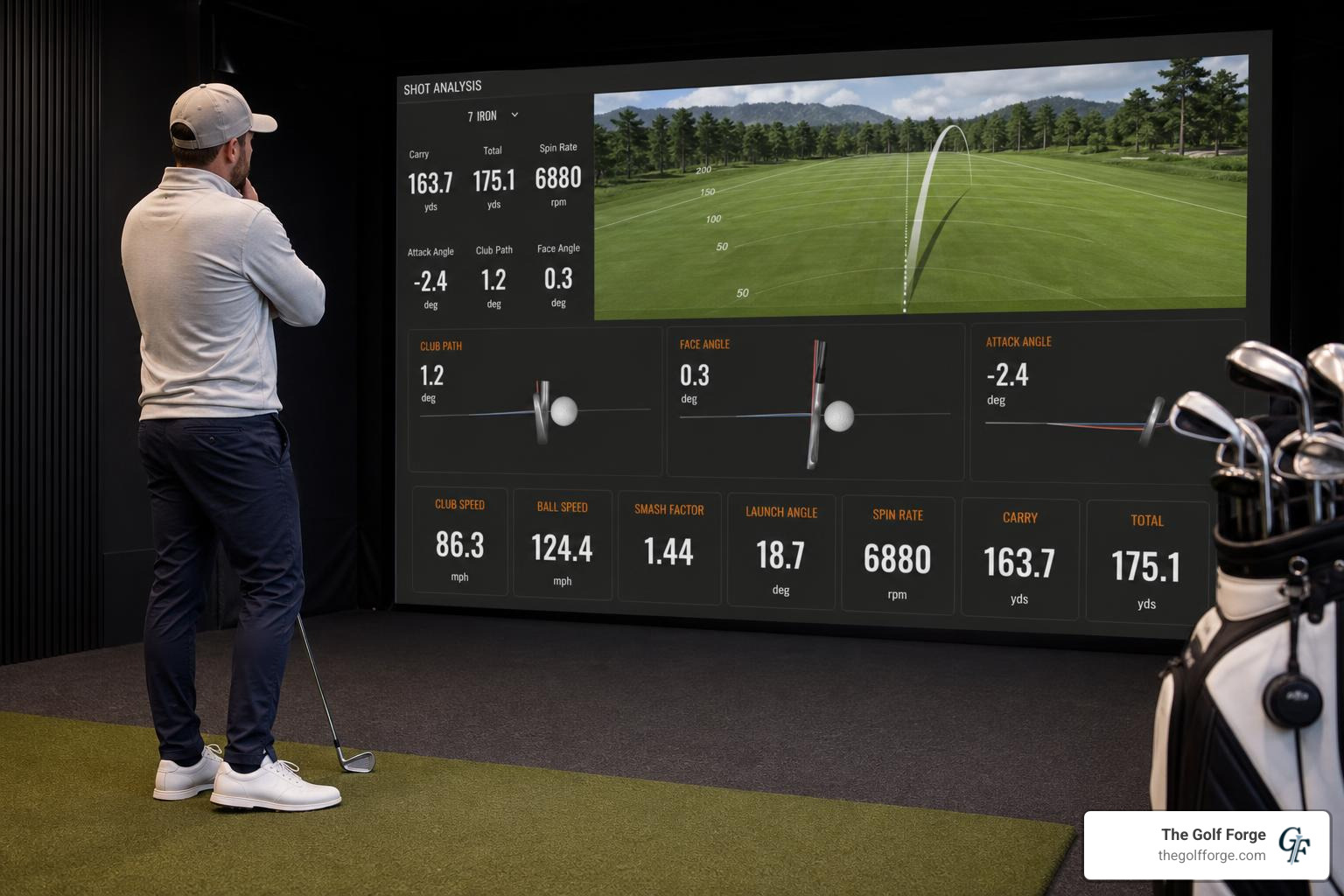
To understand how efficiently you are hitting your driver, you need to look at your Smash Factor. Smash factor is calculated by dividing your ball speed by your clubhead speed:
$$\text{Smash Factor} = \frac{\text{Ball Speed}}{\text{Clubhead Speed}}$$
An ideal smash factor for a driver is around 1.45 to 1.50, meaning you transferred energy from the club to the ball with maximum efficiency. If you suspect your simulator is miscalculating your speed metrics, you can use the Golf Simulator Swing Speed & Clubhead Speed Calculator to cross-reference your raw data and check your swing efficiency.
How to Use Simulator Data for Real-Course Improvement
The secret to lowering your outdoor scores using indoor simulator data is focusing on averages, not peak performance.
It is easy to fall into the trap of "selective memory." Outdoors, you might remember the one time you flushed a 7-iron 165 yards over a water hazard. Indoors, the simulator will brutally remind you that your average 7-iron carry is actually 152 yards.
By accepting your true average carry distances, you will make much smarter club selections on the course.

Here is how to structure your simulator sessions for maximum real-world carryover:
Build a Club Gapping Chart: Hit 10 to 15 shots with each club in your bag. Throw out the extreme outliers (the shank and the absolute flush) and record the average carry distance for each club.
Analyze Your Shot Dispersion: Look at where your shots land relative to your target. Are your misses consistently to the right? This indicates a clubface or swing path issue that you can address before your next outdoor round.
Practice Distance Control: Instead of trying to hit the ball as hard as possible, practice hitting specific yardages. Try to hit your 9-iron 110 yards, then 120 yards, then 130 yards. This builds elite feel and touch.
If you want to take your data-driven practice to the next level, we offer professional coaching and tailored analysis. You can check out Our professional services to see how our PGA professionals can help you translate your simulator numbers into lower scores on the course.
Frequently Asked Questions about Simulator Accuracy
Why is my simulator distance shorter than my outdoor distance?
This is almost always caused by a combination of Indoor Swing Syndrome (subconsciously swinging slower indoors), using low-spin practice balls, or simple memory bias (remembering your best outdoor shots rather than your true averages).
Can practicing on a simulator actually lower my real-world handicap?
Absolutely. Golfers who consistently practice on high-quality simulators see dramatic improvements in their ball striking and distance control. Many players report taking 10 to 20 strokes off their average score after dedicated, data-driven simulator practice over a winter season.
How accurate is simulator putting and chipping?
While ball speed and launch direction are highly accurate, putting and chipping on a simulator rely heavily on rollout algorithms. Because you cannot feel the physical slope of a green or see the depth of the grass, short-game feel takes some adjustment. However, simulators are excellent for practicing start-line accuracy and speed consistency.
Conclusion
At the end of the day, a golf simulator is only as good as the technology powering it and the environment in which you practice.
At The Golf Forge, we provide Utah golfers in South Jordan and West Jordan with premier, 24/7 private bays equipped with industry-leading Foresight launch-monitor technology. Whether you are looking to dial in your club gapping, cure a slice, or play a quick 18 holes of virtual golf with friends, our bays offer the perfect, controlled environment to master your game.
Stop guessing about your swing and start practicing with purpose. Book your next session with us today and start turning your indoor data into real-world results.