
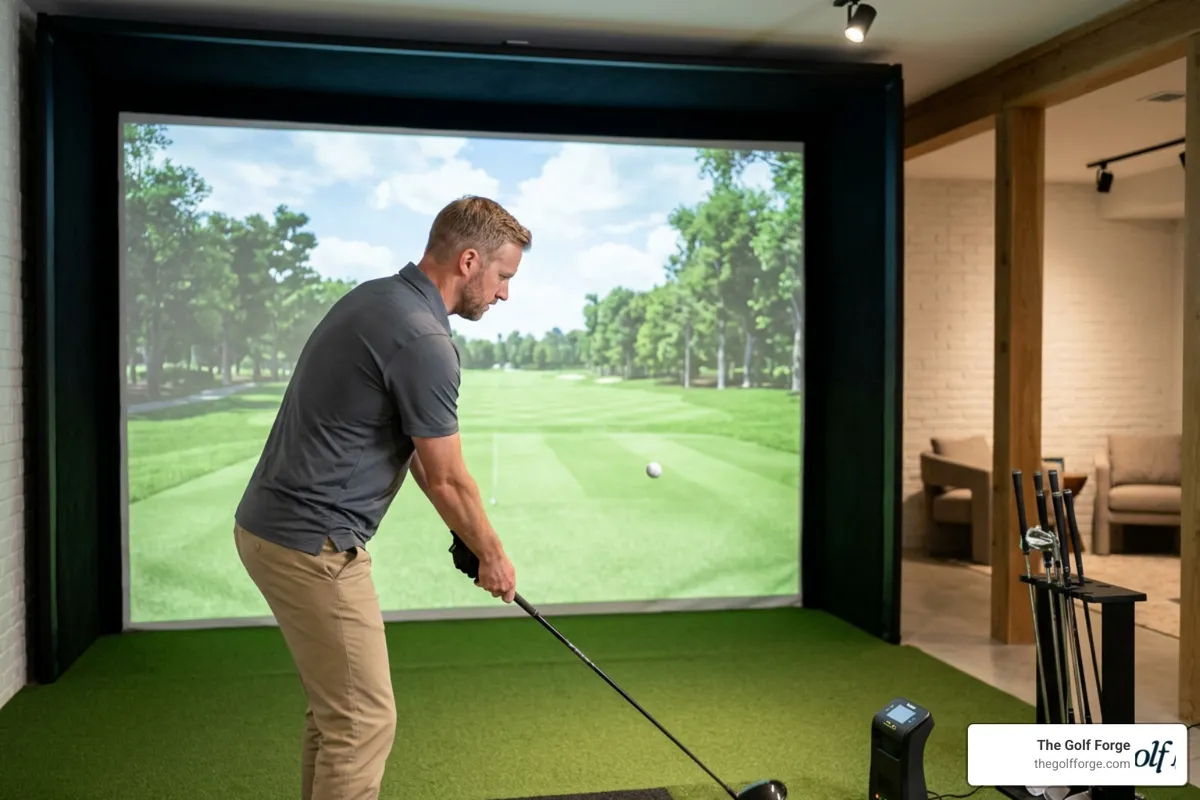
Ultimate Checklist for Golf Simulator Practice Drills
Why Structured Golf Simulator Practice is Your Secret Weapon
Few things are more frustrating than spending hours at a windy, freezing outdoor driving range, hitting low-quality balls, and guessing where they actually landed. You work hard on your swing, but without accurate feedback or comfortable conditions, your progress completely stalls. If you are tired of fighting the elements and seeing zero improvement in your handicap, it is time for a change.
At The Golf Forge, we solve this exact problem. Our private, climate-controlled bays in South Jordan and West Jordan, Utah, give you 24/7 access to state-of-the-art Foresight Falcon launch monitors and expert swing coaches, providing the ultimate environment to dial in your game year-round.
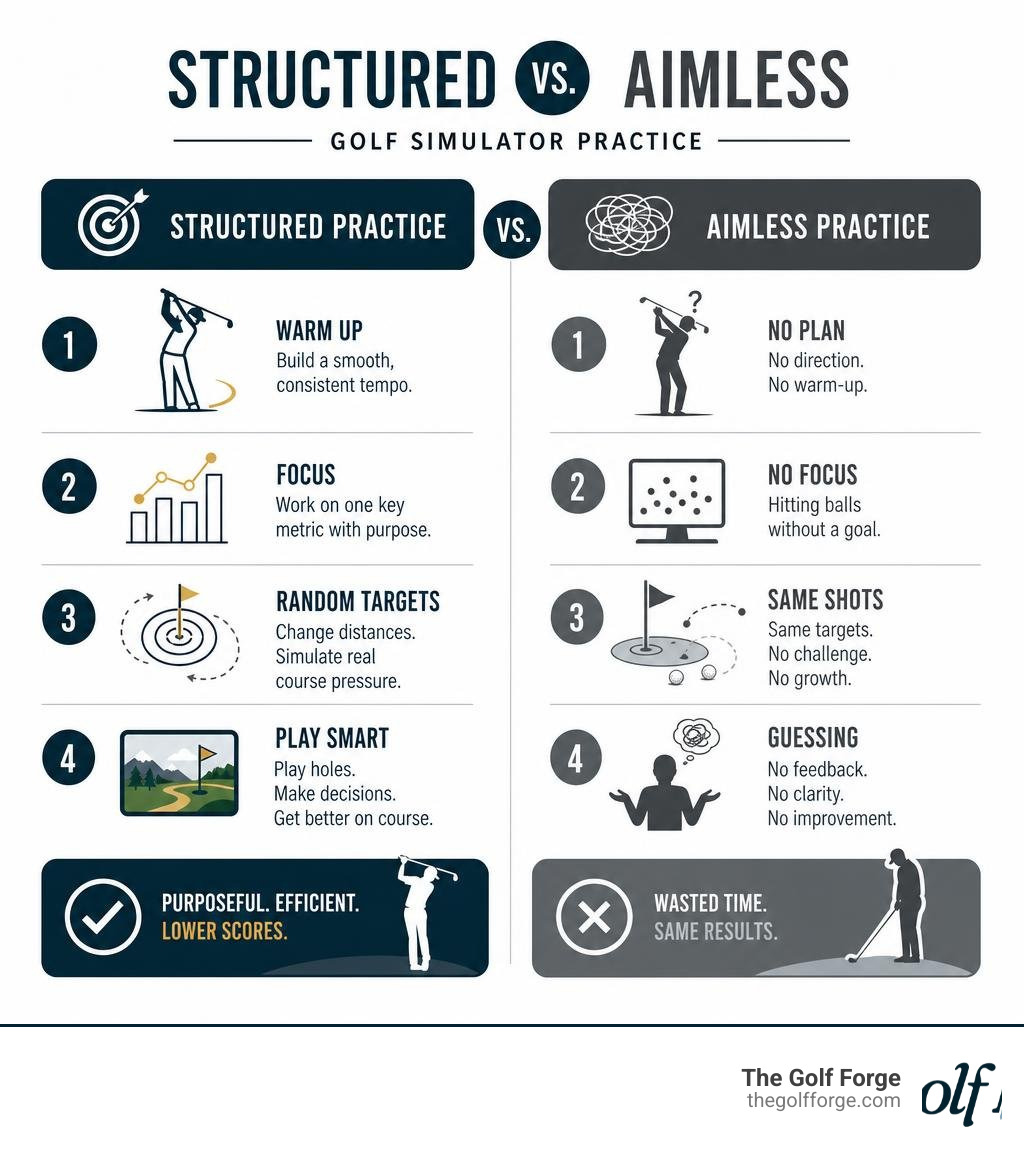
To maximize your golf simulator practice and lower your handicap fast, you need a structured plan rather than just hitting balls aimlessly. Here is the ultimate quick-start routine for indoor training:
Step 1: Baseline Warm-Up (10 mins): Hit half-swing wedges to establish a smooth, consistent tempo.
Step 2: Data-Driven Drills (20 mins): Focus on one key metric (like club path or face angle) using mid-irons.
Step 3: Random Target Practice (20 mins): Change your target distance on every single shot to simulate real-world course pressure.
Step 4: Virtual Course Play (10 mins): Play a few holes in simulation mode to practice strategic decision-making.
Why Golf Simulator Practice Beats the Traditional Driving Range
For decades, the standard way to practice was buying a bucket of beat-up range balls and hitting them into an open field. But as we head into July 2026, technology has completely changed the game. Serious golfers are moving away from the range and moving toward structured indoor golf practice.
When you practice outdoors, you are at the mercy of the elements. Wind can mask a good swing or exaggerate a bad one. Even worse, standard driving range balls are often worn out, chipped, and designed to fly shorter distances with completely unpredictable spin. Practicing with these balls gives you inaccurate feedback, reinforcing bad habits.
In contrast, practicing in a high-end indoor bay allows you to use your own premium golf balls. Using high-quality indoor golf practice balls—the exact same models you play on the course—ensures that the spin, launch angle, and carry distance you see on the screen match what you will experience on the first tee.
Furthermore, a simulator acts as an objective, scientific laboratory. It removes environmental variables like wind, temperature, and uneven lies, allowing you to isolate and analyze your swing mechanics with absolute precision.
Feature | Traditional Driving Range | The Golf Forge Indoor Simulator |
|---|---|---|
Weather Conditions | Wind, rain, extreme heat, or freezing cold | Climate-controlled comfort 24/7/365 |
Ball Quality | Worn, limited-flight range balls | Your own premium, real-game golf balls |
Feedback Quality | Eyeballing ball flight (visual estimation) | Instant, accurate launch monitor data |
Target Variety | Fixed flags at set distances | Infinite custom targets and virtual courses |
Time Efficiency | Searching for open bays, slow pacing | Fast-paced, focused, and private sessions |
Essential Drills for Your Next Simulator Session
To turn your next golf simulator experience into a highly productive training session, you must step away from the "hit-and-hope" mentality. Instead, try these three tour-tested drills designed to target swing path, tempo, and impact position.
Swing Path and Clubface Alignment Drill
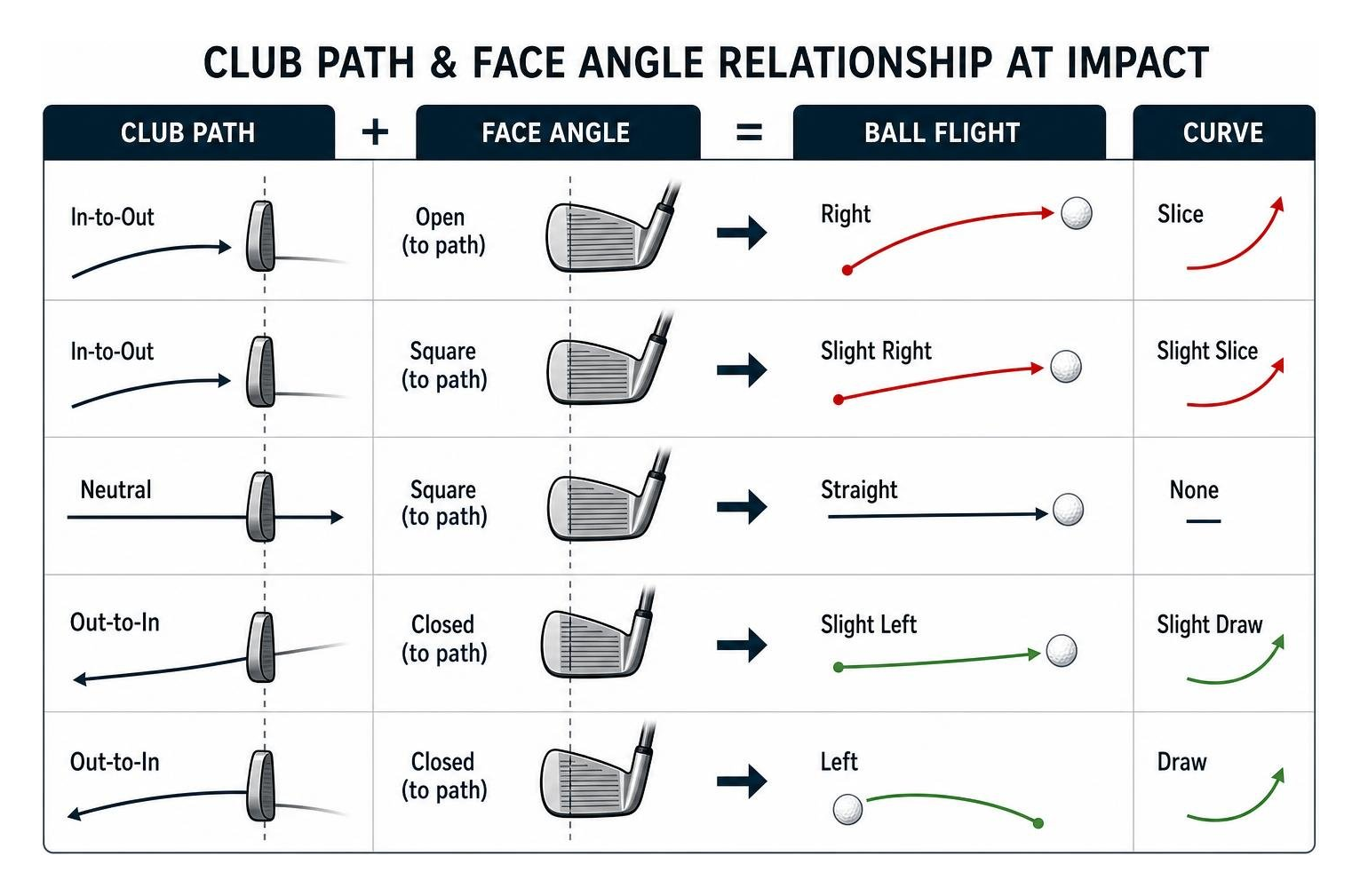
The direction your golf ball curves is determined by the relationship between your club path (the direction your club is moving at impact) and your clubface angle (where the face is pointing). If you struggle with a persistent slice or hook, this drill is for you.
First, set your simulator to range mode. Hit five shots with a 6-iron and look closely at your club path and face-to-path data on the screen.
The Goal: Achieve a neutral swing path (between 2 degrees in-to-out and 2 degrees out-to-in) with a face angle that is as close to square as possible.
The Adjustment: If the data shows your path is too far from out-to-in (causing a slice), place a virtual or physical visual marker just outside your ball. Practice swinging "inside" the marker to force an in-to-out path.
The Metric: Monitor your horizontal launch angle. If your ball consistently starts left or right of your target line, your clubface is open or closed at the moment of impact.
The 1-2 Tempo Control Drill
Many amateur golfers rush their downswing, destroying their rhythm and causing inconsistent ball striking. Power means nothing without rhythm, and a simulator is the perfect place to dial this in.
Step 1: Grab a mid-iron and take a few practice swings. Count "1" on your backswing and "2" at your transition and downswing.
Step 2: Hit 10 balls at what feels like 75% effort.
Step 3: Look at your ball speed and clubhead speed on the screen. You will often find that swinging with a smooth, 75% controlled tempo produces nearly identical ball speeds—and far tighter dispersion—than swinging at 100% effort. This drill teaches you to prioritize center-face contact over raw, uncontrollable speed.
Impact Position and Shaft Lean Drill
To hit crisp, compressed iron shots, you must strike the ball with a downward blow and forward shaft lean (your hands ahead of the clubhead at impact).
The Setup: Use a short iron or wedge.
The Drill: Focus on your angle of attack and smash factor metrics on the launch monitor. A negative angle of attack indicates you are hitting down on the ball.
The Feedback: Utilize the high-definition, slow-motion swing replay features in our bays to check your hand position at impact. If your hands are behind the ball, you are "scooping" it, which leads to high, weak, and short shots. Practice keeping your hands leading the clubhead through the hitting zone to optimize your smash factor.
Dialing In Your Short Game and Course Strategy
While most golfers use a golf bay rental at a high-end golf studio to smash drivers, the real secret to lowering your scores lies in the short game and course management.
Mastering Wedge Gapping During Golf Simulator Practice
Wedge distance control is the Achilles' heel of the recreational golfer. Most players know how far they hit a full pitching wedge, but they struggle with intermediate distances like 45, 65, or 80 yards.
To build a reliable "wedge matrix," use a mix of blocked and randomized practice in our bays:
Blocked Practice: Hit 10 consecutive shots aiming for an exact 50-yard carry. Note the hand height required on your backswing (e.g., hip-high, chest-high) to achieve this distance.
Randomized Practice: Switch targets on every swing. Try hitting a 40-yard shot, then an 85-yard shot, followed by a 60-yard shot. This forces you to feel the distance, translating beautifully to real-world course conditions.
Build a Distance Chart: Use our ultra-precise Foresight Falcon launch monitor data to record your exact carry distances for half, three-quarter, and full swings with each of your wedges. Keep this chart in your bag for your next outdoor round.
Virtual Course Strategy and Pressure Simulation
Playing a virtual round is fantastic for practicing course management. It forces you to make strategic decisions under simulated pressure, preventing you from hitting the same club repeatedly without a clear goal.
When playing virtual courses at The Golf Forge, approach each shot with a tournament mindset:
Check the Layout: Analyze the virtual fairway. If there is water on the right, aim down the left side or club down to stay short of the hazard.
Practice Target Selection: Instead of always aiming at the flag, practice hitting to the fat part of the green to leave yourself safe, manageable putts.
Simulate Pressure: Play a match against a friend or set a personal target (e.g., shooting even par on a 9-hole stretch). This recreates the mental focus required on a real golf course.
How to Analyze Launch Monitor Data for Game Improvement
The true power of golf simulator practice comes from the data. When you hit a ball at The Golf Forge, our overhead golf launch monitor technology captures dozens of metrics instantly.
Here are the key metrics you should track to evaluate your swing and monitor your progress:
Ball Speed: The velocity of the ball immediately after impact. This is the primary driver of your overall distance.
Launch Angle: The angle at which the ball elevates relative to the ground. If your launch angle is too high or too low, you are leaving distance on the table.
Spin Rate: Measured in revolutions per minute (rpm). High spin on a driver causes the ball to balloon and lose distance, while low spin on an iron makes it difficult to stop the ball on the green.
Apex Height: The maximum height your ball reaches. All full-swing shots in your bag should reach a similar apex height, allowing for consistent landing angles.
Smash Factor: Ball speed divided by clubhead speed. This measures the efficiency of energy transfer. A perfect smash factor with a driver is 1.50, indicating center-face contact.
Structuring Your Golf Simulator Practice Session
To make real progress, structure your training sessions intentionally. We recommend practicing 2 to 3 times per week for 45 to 60 minutes.
Start by establishing a clear baseline using a single club, like a 6-iron or 7-iron. Record your average numbers over 10 clean shots. As you work with our swing coaches and practice your drills, compare your session averages against this baseline to track your improvement over time. If your bigger goal is lowering your scoring potential, it can also help to understand how the USGA explains the Handicap Index and how consistent scoring trends are measured over time.
Frequently Asked Questions about Simulator Training
How accurate is golf simulator data compared to real outdoor ball flight?
Extremely accurate. High-end commercial launch monitors use advanced photometric (camera-based) technology to capture multiple high-speed images of the ball's dimples and spin axis immediately after impact. Unlike budget home setups that often estimate data, our professional-grade overhead launch monitors measure your actual ball flight and spin with tour-level precision.
Can I use my own golf balls in an indoor simulator?
Yes, and we highly recommend it! Using your own premium golf balls ensures that the spin rates, launch angles, and distances you see on the screen are 100% accurate to your real-world game. Just make sure your balls are clean and free of scuffs, marker lines, or dirt, which can damage the impact screen and hitting mats over time.
How often should I practice on a simulator to see results?
For the best results, we recommend practicing 2 to 3 times per week for 30 to 60 minutes per session. This frequency helps build muscle memory and reinforces the mechanical changes you are working on with your swing coach.
Conclusion
Stop wasting your practice time hitting inconsistent range balls in the wind and heat. Whether you want to dial in your wedge distances, fix a persistent slice, or enjoy a distraction-free practice environment, structured golf simulator practice is the fastest path to better golf.
At The Golf Forge, we offer premium, 24/7 private bays equipped with industry-leading Foresight Falcon launch monitors at our South Jordan and West Jordan locations. Ready to play the best golf of your life? Explore our membership options, purchase a package of punch passes, or grab a golf simulator guest pass to try our state-of-the-art golf practice bay south jordan ut.
Don't wait for next season—book now and start improving today at Elevate Your Game at The Golf Forge.